Building your first flight simulator setup can look complicated. You may see setups with multiple monitors, yokes, throttles, rudder pedals, instrument panels and even full cockpit frames. The good news is that you do not need all of that to start flying.
A beginner flight simulator setup can be surprisingly simple. Start with the computer or console you already have, choose your simulator and add one good flight control. From there, you can expand only when you know which type of flying you actually enjoy.
Quick answer: For most beginners, the essentials are a compatible PC or console, flight simulator software and a joystick or other basic flight control. A throttle, rudder pedals, additional screens and cockpit accessories can all be added later.
What Do You Actually Need for Flight Simulator?
It helps to separate what is necessary from what is simply nice to have.
| Equipment | Beginner Priority | Why |
|---|---|---|
| PC or compatible console | Essential | Runs the simulator |
| Flight simulator software | Essential | Provides the aircraft and flying environment |
| Joystick or yoke | Highly recommended | Provides much more natural aircraft control |
| Separate throttle | Optional at first | Adds more precise engine control |
| Rudder pedals | Optional at first | Improves rudder and ground control |
| Headset | Optional | Useful for immersion and online flying |
| Extra monitors | Optional | Provides additional viewing or instrument space |
1. Start With the Platform: PC or Console
Your first decision is where you will run the simulator. A gaming PC generally provides the greatest flexibility because it can support a wide range of peripherals, add-ons and simulator software.
A compatible console can be a simpler entry point if you already own one. You can enjoy flight simulation without building a dedicated gaming computer, although your choices of accessories and software may be more limited.
There is no reason to build an expensive computer before you know whether flight simulation will become a long-term hobby. If your current hardware can run the simulator you want at an acceptable level, start there.
Before buying any flight controls, confirm that they are compatible with your platform. A controller that works on Windows does not automatically work with every console.
2. Choose Your Flight Simulator
Different simulators appeal to different types of users. Some focus on accessible worldwide flying and impressive scenery, while others attract enthusiasts who prioritize aircraft systems, customization or particular types of flying.
Before choosing one, think about what you actually want to simulate.
- Airline operations
- General aviation
- Learning basic aircraft controls
- Exploring cities and scenery
- Helicopters
- Online air traffic control environments
- More advanced aircraft procedures
You do not need to master everything immediately. A beginner can learn far more by becoming comfortable with one aircraft than by constantly switching between complex airplanes.
3. Joystick or Yoke: Which Should a Beginner Buy?
This is one of the most common questions when building a first setup.
🕹️ Joystick
Compact, versatile and often the easiest starting point. Many models also include a twist axis that can be assigned to rudder control.
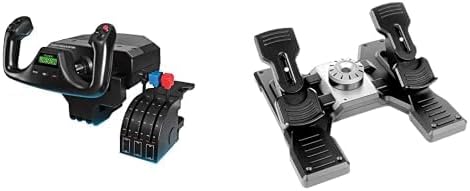
✈️ Yoke
Provides a control style similar to many general aviation and commercial aircraft, but usually takes more desk space and may cost more.
For someone who is simply discovering flight simulation, a good joystick is often enough. It lets you control pitch and roll, and many models also provide throttle and rudder functions in the same unit.
A yoke becomes more attractive when you know that the aircraft you enjoy flying use that type of control and you want your physical setup to reflect it more closely.
Don’t build your setup around what looks most impressive online. Build it around the aircraft you actually enjoy flying.
4. Do You Need a Throttle Quadrant?
Not necessarily.
Many beginner joysticks include a small throttle axis. That is enough to learn basic flight controls and determine whether the hobby interests you.
A separate throttle becomes valuable when you want more precise power control or additional physical controls for functions such as propeller, mixture, spoilers or multiple engines.
This makes a throttle quadrant an excellent upgrade, but not necessarily the first purchase.
5. Do You Need Rudder Pedals?
Rudder pedals add another level of control. They can be particularly useful during taxi, takeoff, landing and situations where coordinated rudder input matters.
However, beginners can often start without them. A joystick with a twist axis can provide rudder control until you are ready for dedicated pedals.
If you later become serious about general aviation, helicopters or a more complete cockpit-style setup, rudder pedals can become a worthwhile addition.
6. One Monitor Is Enough to Start
Multi-monitor flight simulator setups look impressive, but a single monitor is completely adequate for learning.
Before adding screens, focus on getting smooth performance and becoming comfortable with changing cockpit views. Additional monitors can later be used for a wider outside view, instruments, charts or other applications.
A larger display can improve immersion, but it will not replace good flight controls or proper simulator configuration.
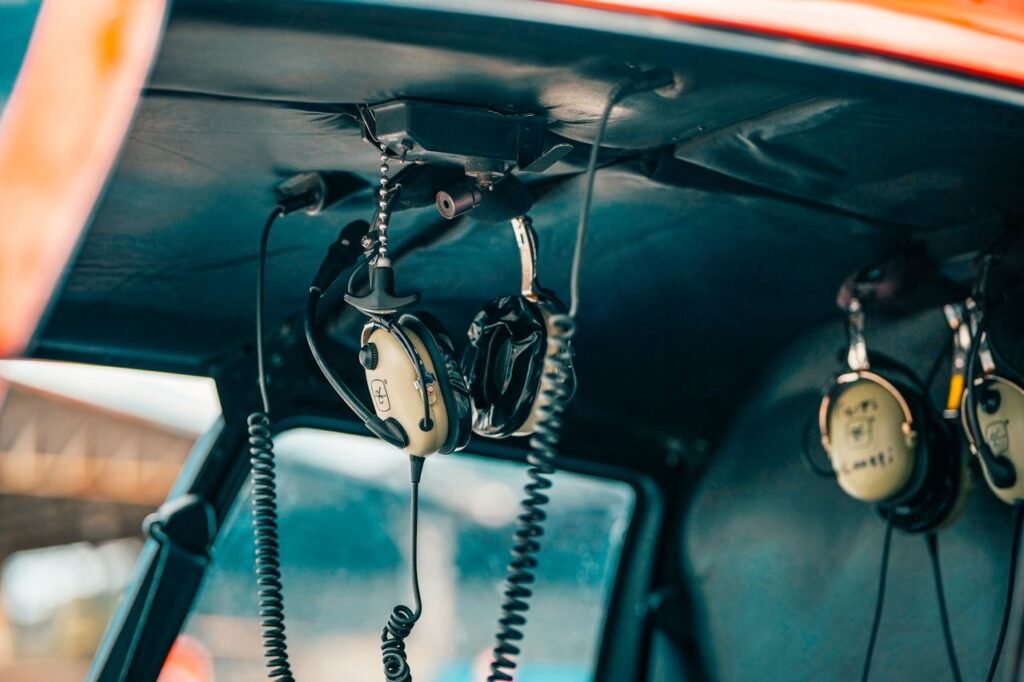
7. What About a Gaming Headset?
A headset is not essential for basic offline flying, but it can improve the experience by making engine sounds, warning tones and other audio easier to hear without disturbing people around you.
A microphone becomes more important if you eventually participate in online flying environments that involve voice communication.
If you already own a comfortable headset, there is usually no need to buy a flight-simulator-specific model when starting.
8. Don’t Buy Everything at Once
One of the easiest mistakes is buying an entire cockpit before understanding what kind of simulator experience you want.
Someone who eventually loves flying airliners may want a very different setup from someone who prefers small general aviation aircraft. Helicopter enthusiasts have different priorities again.
Learn the interface and try a simple aircraft.
A joystick is enough for many beginners.
Discover which aircraft and type of flying you enjoy.
Only then decide whether you need pedals, a throttle or another upgrade.
Build the setup around your interests instead of buying everything at once.
9. A Simple Beginner Setup
Your first setup does not need to look like a cockpit. A desk, screen and one controller can provide hundreds of hours of learning and entertainment.
Starter Setup
Computer or compatible console + simulator + joystick.
That’s it. You can add everything else later.
This approach also makes upgrading easier because you will understand why you are buying each new component.
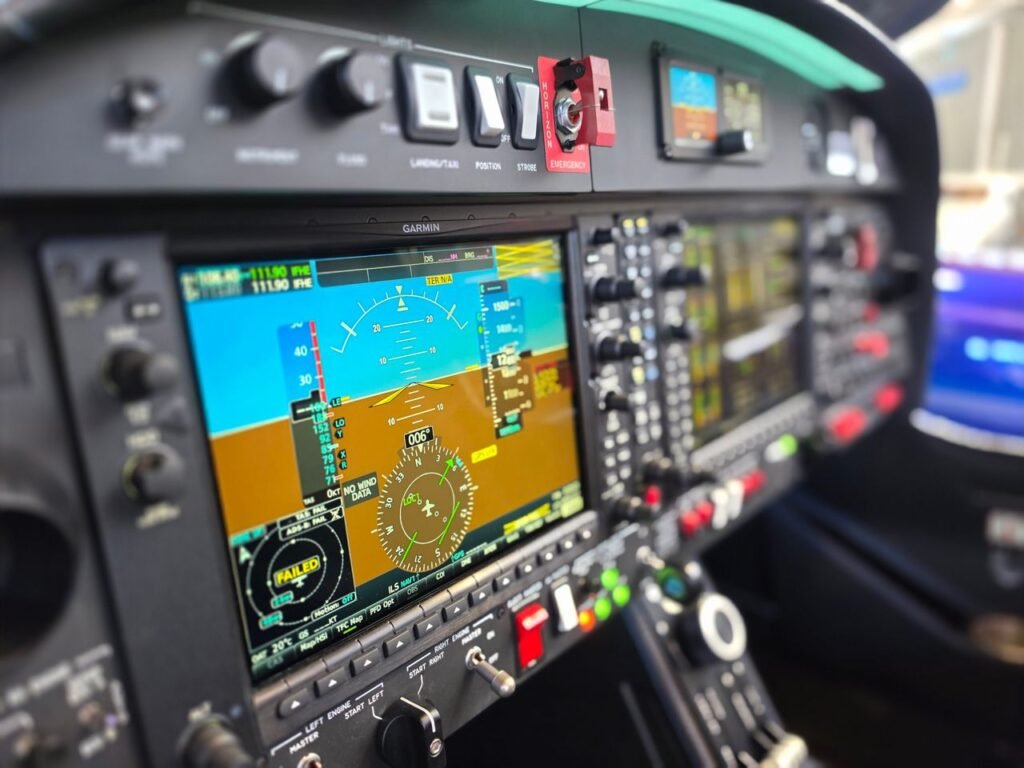
10. A More Complete Setup
Once you know flight simulation is a hobby you want to pursue, your setup might grow to include:
- Joystick or yoke
- Dedicated throttle quadrant
- Rudder pedals
- Larger or additional display
- Headset and microphone
- Tablet for charts or additional applications
- Additional cockpit controls
None of these upgrades need to happen at the same time.
11. Configure Your Controls Before Flying
Good hardware can feel terrible when it is configured incorrectly.
Before your first serious flight, check the control assignments. Move each physical axis and confirm that the corresponding simulator control moves in the correct direction.
Pay particular attention to:
- Pitch
- Roll
- Yaw or rudder
- Throttle
- Brakes
- Flaps
- Trim
Avoid assigning the same function to multiple controls accidentally, as conflicting inputs can create confusing behavior.
12. Sensitivity Settings Can Make a Huge Difference
If the aircraft feels excessively difficult to control, the problem may not be the joystick.
Simulator sensitivity, dead-zone and response settings can significantly change how a controller feels. Small unwanted inputs from an older controller can sometimes be reduced with an appropriate dead zone, while response curves can help make small movements easier to manage.
Make small changes and test them rather than copying extreme settings from another user. Hardware and personal preference differ.
13. Start With a Simple Aircraft
Jumping directly into a complex airliner can make flight simulation feel harder than it needs to be.
A simpler aircraft allows you to focus on the fundamentals: maintaining altitude, controlling airspeed, making coordinated turns, understanding trim and learning basic takeoffs and landings.
Once those skills feel natural, more complex aircraft systems become much easier to approach.
Learn to fly the airplane before trying to learn every switch in the cockpit. Basic aircraft control gives you a foundation for everything that comes later.
14. Keyboard and Mouse Still Matter
Even with dedicated flight controls, your keyboard and mouse remain useful. Modern simulated aircraft can have hundreds of functions, and mapping every command to a physical controller is unnecessary.
Put the controls you use constantly on your joystick, yoke or throttle. Less frequently used functions can remain on the keyboard or be operated directly in the virtual cockpit.
15. How Much Should a Beginner Spend?
There is no single correct budget. The better question is how much equipment you need before additional spending stops making the experience significantly better for you.
If you already own a capable computer or console, starting with one compatible controller can keep the initial investment relatively modest.
After you have spent time flying, you can make better purchasing decisions because you will know whether additional controls solve a real problem or simply add complexity.
The Upgrade Order I Recommend for Beginners
If you want to build the setup gradually, this is a practical order:
| Stage | Upgrade | Reason |
|---|---|---|
| 1 | Joystick or basic flight control | Biggest improvement over keyboard-only flying |
| 2 | Dedicated throttle | Improves power control and adds useful buttons |
| 3 | Rudder pedals | Adds dedicated yaw and ground control |
| 4 | Display improvements | Can increase immersion and usable screen space |
| 5 | Specialized cockpit hardware | Best added once you know what aircraft you prefer |
Frequently Asked Questions
Do I need a joystick for flight simulator?
It is possible to start without one, but a joystick or other dedicated flight control generally provides much more natural pitch and roll control than a keyboard.
Should a beginner buy a joystick or yoke?
A joystick is a versatile and compact starting point. A yoke may be more appealing if you already know you prefer aircraft that use yoke-style controls.
Do I need rudder pedals?
Not necessarily. Many beginners use a joystick’s twist axis for rudder control before upgrading to dedicated pedals.
Do I need multiple monitors?
No. One monitor is enough to begin. Additional displays can improve immersion or provide more space for instruments and other applications, but they are optional.
Can I build a flight simulator setup gradually?
Yes, and doing so is often the better approach. Start with basic controls and add equipment after you understand what type of flying you enjoy.
Start Simple and Build From There
You do not need a home cockpit to enjoy flight simulation. A computer or compatible console, simulator and basic flight control can be enough to start learning and exploring.
Spend time flying before spending heavily on equipment. Once you discover whether you prefer airliners, general aviation, helicopters or another style of flying, the right upgrades become much easier to identify.