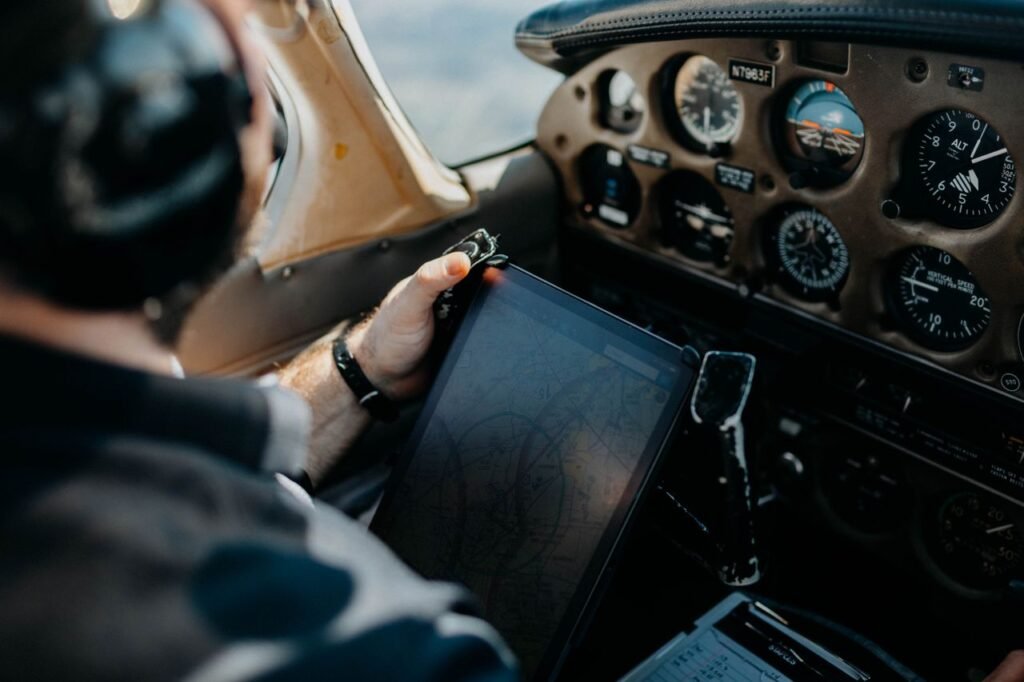
For many pilots, the tablet has become one of the most useful pieces of portable equipment in the cockpit.
Instead of carrying stacks of paper charts, airport directories, weather printouts and planning documents, an Electronic Flight Bag — commonly called an EFB — can bring much of that information together on a single screen.
Apps such as ForeFlight and Garmin Pilot can turn compatible tablets into powerful tools for flight planning, charts, weather, airport information, navigation and much more.
But choosing a tablet for aviation is different from choosing one for watching movies or browsing the internet. Screen size, GPS capability, storage, heat management, battery life and cockpit mounting all matter.
This guide explains how to choose an iPad or tablet for flying and which types of devices make the most sense for different pilots.
Quick answer: For pilots using ForeFlight, a compatible iPad is the natural choice because ForeFlight Mobile EFB runs on Apple mobile devices. The iPad Mini is especially attractive in smaller cockpits, while an 11-inch iPad Air provides more screen space without becoming as large as a 13-inch tablet. Garmin Pilot gives pilots another option because it supports both Apple and Android mobile devices.
What Is an Electronic Flight Bag?
An Electronic Flight Bag is an electronic platform used to display or manage information that pilots might otherwise carry in paper form or access through multiple separate resources.
Depending on the application and operation, an EFB can provide access to:
- Aeronautical charts
- Airport information
- Flight planning
- Weather information
- NOTAM information
- Approach procedures
- Moving maps
- Aircraft performance information
- Weight and balance tools
- Checklists
- Flight logging
- Traffic and weather when connected to compatible equipment
The tablet itself is only one part of the system. The aviation application, data subscription, GPS source and optional external equipment can be just as important.
Why iPads Became So Popular With Pilots
Apple’s iPad has become closely associated with portable EFB use because major aviation applications have been designed around the platform.
One particularly important example is ForeFlight Mobile EFB, which is designed for Apple’s mobile ecosystem.
iPads also provide a broad selection of aviation mounts, cases, charging accessories and compatible external aviation devices.
ForeFlight vs Garmin Pilot
ForeFlight
A major EFB platform built around Apple mobile devices, including compatible iPads and iPhones.
Garmin Pilot
An aviation EFB and flight-planning platform available for compatible Apple and Android mobile devices.
Your Ecosystem
The app you plan to use should influence your tablet decision before you choose the hardware.
1. Choose the Aviation App First
One of the biggest mistakes is buying a tablet first and deciding on the aviation software afterward.
Instead, start with the application you expect to use.
If ForeFlight is central to your plan, you need a compatible Apple device.
If you intend to use Garmin Pilot, compatible Apple and Android devices provide more hardware flexibility.
Choose your EFB ecosystem first. Then choose the tablet that runs it comfortably in the aircraft you actually fly.
2. iPad Mini — Excellent for Smaller Cockpits
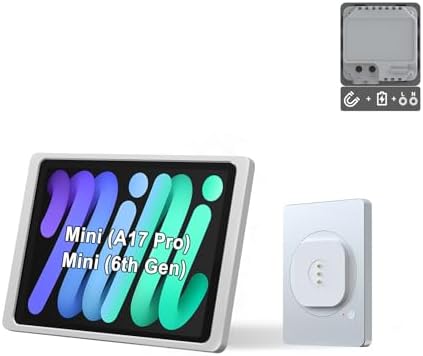
The iPad Mini form factor is particularly attractive for general aviation because cockpit space is often limited.
Its smaller size can make it easier to mount on a yoke, kneeboard or other appropriate location without blocking as much of the instrument panel.
At the same time, it provides substantially more screen area than a smartphone.
Why Pilots Like the iPad Mini
- Compact size
- Easy to carry in a flight bag
- Suitable for many yoke-mount arrangements
- Less cockpit obstruction than larger tablets
- Large enough for many common EFB tasks
- Compatible with major iPad aviation applications when supported by current software
The tradeoff is obvious: charts and split-screen information appear on a smaller display than on a full-size iPad.
3. 11-Inch iPad Air — More Screen Space
For pilots who want a larger display, the 11-inch iPad Air provides substantially more working area while remaining portable.
The current 2026 iPad Air generation uses Apple’s M4 chip and is available in an 11-inch format.
For EFB use, the raw processing power is likely to be far more than many pilots need. The larger advantage is screen size and the ability to display charts, maps and split-screen information comfortably.
Why Consider an 11-Inch iPad Air?
- Larger display than the Mini
- More comfortable chart viewing
- Useful for split-screen applications
- Powerful hardware
- USB-C connectivity
- Good multipurpose tablet outside aviation
4. What About a 13-Inch iPad?
A 13-inch display can be excellent for flight planning outside the aircraft.
Inside a smaller cockpit, however, physical size can become a disadvantage.
A large tablet can potentially interfere with controls, block instruments or simply become difficult to position comfortably.
Pilots considering a 13-inch tablet should carefully evaluate the available cockpit space and mounting arrangement.
5. iPad Mini vs 11-Inch iPad
| Consideration | iPad Mini | 11-Inch iPad |
|---|---|---|
| Cockpit Space | Excellent for tight spaces | Requires more room |
| Chart Size | Smaller | Larger and easier to view |
| Portability | Excellent | Very good |
| Yoke Mounting | Often easier | Depends heavily on aircraft |
| Split Screen | Usable but compact | More comfortable |
| Flight Planning at Home | Good | More screen area |
6. Wi-Fi or Cellular iPad?
This is one of the most important decisions for pilots.
Wi-Fi-only iPads do not include the same built-in GPS capability used by cellular-capable iPads.
That does not mean a Wi-Fi-only iPad cannot be used as an EFB.
It can receive position information from compatible external GPS or ADS-B equipment.
But pilots who want more flexibility should understand this distinction before buying.
7. Do You Need a Cellular Data Plan?
Choosing a cellular-capable iPad does not necessarily mean you must maintain an active cellular data plan simply to take advantage of the device’s hardware configuration.
However, internet connectivity on the ground can be useful for downloading charts, checking weather and updating flight information.
Pilots should understand the difference between cellular internet service and GPS positioning.
8. External GPS Receivers
An external GPS receiver can provide position information to a compatible tablet.
This is particularly relevant for Wi-Fi-only iPads.
Some aviation-specific portable receivers go much further by combining GPS with additional information such as ADS-B traffic, weather or attitude data.
9. ADS-B Receivers
Portable ADS-B receivers are popular additions to tablet-based cockpit setups.
When used with compatible apps and services, these devices can provide additional information directly to the EFB.
Depending on the receiver and region, capabilities may include:
- GPS position
- Traffic information
- Weather information
- Pressure altitude
- Backup attitude data
- Device status information
Capabilities vary significantly by product, region and available services.
10. iPad + Sentry
ForeFlight users frequently pair an iPad with a compatible Sentry receiver.
This type of setup can provide the iPad with an independent aviation-focused GPS source and additional supported data.
It also means a Wi-Fi-only iPad can still receive GPS position information from the external receiver.
Pilots should compare the capabilities of the specific Sentry model rather than assuming all models provide identical features.
11. Garmin Pilot + Garmin Receivers
Garmin Pilot can integrate with compatible Garmin portable receivers and installed avionics.
Depending on the equipment, this can allow information such as GPS position, traffic, weather and other flight data to appear within the application.
For pilots already flying with Garmin avionics, ecosystem integration may become an important factor when choosing an EFB.
12. How Much Storage Does a Pilot Need?
Aviation apps can store significant amounts of data.
Charts, airport information, documents and downloaded regions all consume storage.
The tablet may also be used for photos, videos, music and other applications outside aviation.
Buying only the absolute minimum storage can become limiting over several years of ownership.
13. 128 GB, 256 GB or More?
There is no single storage capacity that every pilot needs.
A pilot who uses the tablet almost exclusively as an EFB may have very different requirements from someone who also stores large photo and video libraries.
| Storage Level | Who It May Suit |
|---|---|
| 128 GB | Many pilots using the tablet primarily for aviation and normal everyday apps |
| 256 GB | More room for aviation data, documents, apps and general use |
| Higher Capacities | Users storing extensive media, professional files or large amounts of offline content |
Think about how long you plan to keep the tablet. Storage that seems excessive today may be more useful after several years of software updates and additional apps.
14. Screen Brightness Matters
Cockpits can be extremely bright environments.
Direct sunlight through a windshield can make screens much harder to read than they appear indoors.
Screen brightness and glare should therefore be considered when choosing a tablet.
Mount position can also have a major effect on readability.
15. Heat Can Be a Bigger Problem Than Performance
Modern tablets have more than enough processing power for many EFB tasks.
Heat can be a more practical cockpit problem.
A tablet sitting in direct sunlight behind an aircraft windshield can become very hot.
Consumer electronics may reduce performance or temporarily shut down when operating temperatures exceed their limits.
16. Protect the Tablet From Direct Sunlight
Pilots should think carefully about where the tablet is mounted.
Avoid unnecessarily exposing it to intense direct sunlight for extended periods.
Never use a mount or cooling solution that interferes with aircraft controls, instruments or safe operation.
17. Battery Life
A tablet that runs out of power halfway through a long flight is no longer a useful EFB.
Actual battery life depends on:
- Screen brightness
- GPS use
- Wireless connectivity
- Applications running
- Ambient temperature
- Battery age
Do not plan solely around a manufacturer’s maximum laboratory battery figure.
18. Cockpit Charging
USB power in the aircraft can be extremely convenient.
However, pilots should use appropriate charging equipment and understand the electrical capabilities of the aircraft.
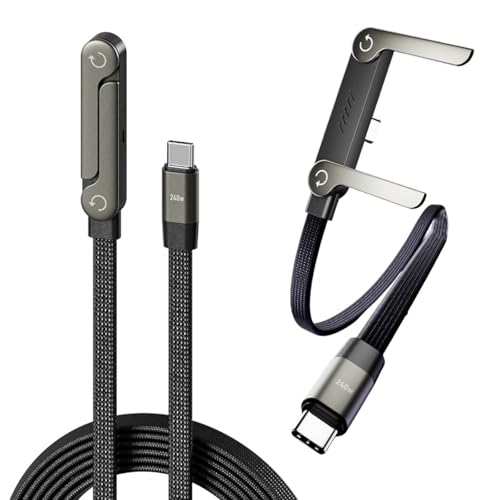
A quality cable is also important. A damaged or unreliable cable can defeat an otherwise excellent charging setup.
19. Carry a Power Bank?
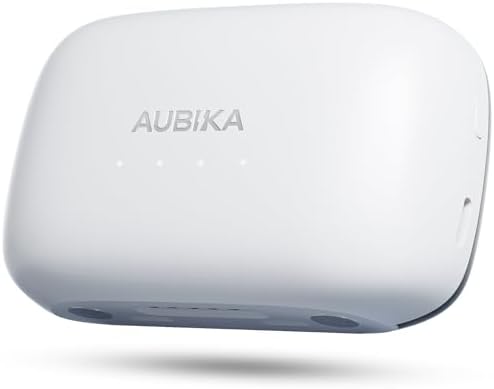
A portable battery can provide another layer of power redundancy.
It can also be useful outside the aircraft during travel.
Any battery carried aboard should be appropriate for the operation and handled according to applicable safety requirements.
20. Mount or Kneeboard?
Yoke Mount
Keeps the tablet directly in front of the pilot but requires careful attention to control movement and instrument visibility.
Suction Mount
Can offer flexible positioning in compatible aircraft, but placement and secure attachment are critical.
Kneeboard
Simple and portable, particularly for pilots who frequently switch between rental or training aircraft.
21. Don’t Block the Instruments
A large tablet mounted in the wrong position can become a safety problem.
Before flying, verify that the device does not:
- Restrict control movement
- Block critical instruments
- Interfere with switches
- Obstruct outside visibility
- Interfere with emergency egress
22. Portrait or Landscape?
Both orientations can work well depending on the application and mounting position.
Portrait orientation can feel natural for approach plates and documents.
Landscape can provide more horizontal map area and may work well for split-screen layouts.
Experiment on the ground before deciding how you want the device positioned in flight.
23. Download Everything Before Departure
Do not assume an internet connection will be available in flight.
Charts, databases and other required information should be downloaded and updated before departure according to the application’s procedures and your operational requirements.
Verify the downloads rather than simply assuming an automatic update completed successfully.
24. Keep the Operating System Compatible
Aviation applications periodically change their minimum operating-system and hardware requirements.
An old tablet may continue working physically but eventually lose compatibility with current app versions.
This is one reason buying a reasonably current device can provide better long-term value.
25. ForeFlight Compatibility
ForeFlight publishes current device and operating-system compatibility information.
Pilots should check that list before buying an older or used iPad specifically for aviation.
A cheap used tablet is not a bargain if it cannot run the current version of the EFB application you need.
26. Can You Use an Android Tablet?
Yes — depending on the EFB application.
Garmin Pilot supports compatible Android mobile devices in addition to Apple devices.
ForeFlight Mobile EFB, however, is built for Apple’s mobile platform.
Therefore, pilots committed to ForeFlight should generally focus their tablet search on compatible iPads.
27. Is an Expensive iPad Pro Necessary?
For many pilots, no.
EFB applications do not automatically require the most powerful tablet Apple sells.
An iPad Pro may offer premium display and hardware capabilities, but those advantages should be weighed against price, size and the pilot’s other uses for the tablet.
Buying a more powerful processor does not automatically make someone a better-equipped pilot.
28. Why the iPad Air Can Be a Good Middle Ground
The iPad Air sits between Apple’s entry-level tablet and the premium iPad Pro family.
The current 2026 generation uses Apple’s M4 processor and is available in 11-inch and 13-inch sizes.
For aviation use, the 11-inch version can provide a useful balance between screen space and cockpit portability.
The 13-inch version offers more display area but deserves careful consideration in smaller aircraft.
29. Why the iPad Mini Remains Interesting
Aviation creates a use case where smaller can genuinely be better.
The Mini’s value is not that it displays more information than a larger tablet.
Its advantage is that it can provide a substantial EFB interface while occupying less cockpit space.
For pilots flying aircraft with tight cabins, this can matter more than having the largest possible display.
30. What About Using an iPhone?
Compatible aviation applications can also run on supported iPhones.
A phone can make an excellent backup device and may be useful for quick weather checks, airport information and flight planning.
However, its smaller screen can make charts and complex map displays less convenient as a primary cockpit EFB.
31. Should You Carry a Backup EFB?
Electronic devices can fail.
A tablet can overheat, lose power, become damaged or experience a software problem.
Pilots should plan appropriate redundancy based on the operation and applicable requirements.
A compatible smartphone, second tablet or other appropriate source of required information may form part of that strategy.
32. Two Tablets?
For some operations, carrying two tablets may make sense.
For others, a tablet plus smartphone may provide sufficient practical redundancy.
The correct approach depends on what information is required, the type of flying and applicable operational rules.
33. EFB for Student Pilots
A student pilot does not need the most expensive tablet available.
Priorities should include:
- Compatibility with the flight school’s preferred application
- Reliable battery life
- Enough storage
- A practical cockpit size
- A secure mounting solution
- Long-term software compatibility
Before buying, ask your instructor or flight school which EFB ecosystem they use.
34. EFB for Private Pilots
Private pilots may benefit from more flexibility because the tablet can become a central tool for both planning and flying.
Weather, charts, airport information, moving maps and flight-plan management can all live within the same application.
Pilots who fly regularly may also benefit from integrating an external ADS-B receiver.
35. EFB for Aircraft Owners
Aircraft owners can build a more integrated setup around the specific airplane.
Depending on compatible avionics, an EFB may be able to exchange flight-plan information or receive data from installed equipment.
In these situations, ecosystem compatibility becomes increasingly important.
36. Garmin Avionics + Garmin Pilot
Pilots flying compatible Garmin-equipped aircraft may find Garmin Pilot particularly interesting because of its integration with Garmin’s broader aviation ecosystem.
Compatible installations can support features such as flight-plan transfer and sharing of selected navigation, weather or traffic information.
Exact capabilities depend on the installed avionics and compatible connectivity equipment.
37. ForeFlight + Portable ADS-B
ForeFlight can be paired with compatible portable aviation receivers such as products in the Sentry family.
This can add GPS and other supported data to the EFB without requiring a permanent aircraft installation.
For renters and student pilots who move between aircraft, portability can be especially attractive.
38. Tablet vs Installed Avionics
A tablet should not be confused with certified installed avionics.
The EFB can provide tremendous situational information and convenience, but it serves a different role from the aircraft’s required and approved equipment.
Pilots should understand what information they are permitted to rely on for the specific operation.
39. Keep the Tablet Organized
An EFB becomes less useful if the pilot cannot find information quickly.
Before flight, organize:
- Flight plan
- Charts
- Approach procedures
- Airport information
- Aircraft documents available electronically
- Checklists when appropriate
- Weather information
- Relevant notes
Practice using the application on the ground rather than learning menus during a high-workload phase of flight.
40. Avoid Becoming Head-Down
A powerful EFB can display enormous amounts of information.
That creates another potential problem: spending too much time looking at the tablet.
An EFB should support situational awareness rather than become a distraction from flying the aircraft and maintaining an appropriate outside scan.
Best Tablet Type by Pilot
| Pilot / Use | What to Consider |
|---|---|
| Student Pilot | Compact compatible iPad, practical storage and simple mounting |
| Small GA Cockpit | iPad Mini form factor |
| More Screen Space | 11-inch iPad |
| ForeFlight User | Compatible Apple iPad |
| Garmin Pilot User | Compatible Apple or Android device |
| Frequent Cross-Country Pilot | Consider GPS source, ADS-B integration, storage and power redundancy |
| Garmin-Equipped Aircraft | Evaluate Garmin Pilot and compatible avionics integration |
| Primary EFB + Backup | Tablet plus compatible secondary device |
Pilot Tablet Buying Checklist
Before Buying, Check:
- Which EFB app will you use?
- Is the tablet currently supported?
- Do you need ForeFlight?
- Do you prefer Garmin Pilot?
- Is the screen the right size for your cockpit?
- Wi-Fi only or cellular-capable?
- Where will GPS position come from?
- Will you use an external ADS-B receiver?
- Is there enough storage?
- How will you mount the tablet?
- Will the mount interfere with controls or instruments?
- How will you keep the device powered?
- What is your backup if the tablet fails?
- Can you keep it out of excessive direct sunlight?
- Will the device remain useful outside aviation?
A Practical EFB Setup
A typical portable general-aviation setup might include:
- Compatible tablet
- EFB application
- Downloaded and current aviation data
- Secure cockpit mount or kneeboard
- Reliable charging cable
- Appropriate power source
- Compatible GPS or ADS-B source when desired
- Backup access to required information
The exact setup should match the aircraft and operation rather than simply copying another pilot’s equipment list.
Frequently Asked Questions
What is the best iPad size for pilots?
There is no single best size. The iPad Mini form factor can work especially well in smaller cockpits, while an 11-inch iPad provides more screen area for charts and split-screen use. Cockpit space and mounting location should influence the decision.
Can you use ForeFlight on Android?
ForeFlight Mobile EFB is designed for compatible Apple mobile devices. Pilots looking for an EFB that supports Android can consider applications such as Garmin Pilot, subject to current device and regional compatibility.
Does a Wi-Fi-only iPad have GPS?
Wi-Fi-only iPads do not provide the same built-in GPS capability as cellular-capable models. They can receive GPS position from compatible external devices such as aviation GPS or ADS-B receivers.
Do I need a cellular plan for my aviation iPad?
Not necessarily. Cellular hardware and cellular internet service are separate considerations. Pilots should decide how they will obtain internet access on the ground and GPS position in flight.
How much iPad storage does a pilot need?
Storage needs vary. Many pilots can work comfortably with mainstream storage capacities, while users storing extensive offline aviation data, documents, photos, videos and other applications may benefit from additional capacity.
Is the iPad Mini good for ForeFlight?
A currently supported iPad Mini can be attractive for ForeFlight because its compact size fits many general-aviation cockpits well. Pilots should confirm current ForeFlight device and iOS compatibility before purchasing.
Do pilots need an ADS-B receiver with an iPad?
Not every setup requires a portable ADS-B receiver. However, compatible receivers can provide useful additional data such as GPS position and, where supported, traffic, weather or attitude information.
Can an iPad replace aircraft avionics?
An iPad EFB and installed aircraft avionics serve different roles. Pilots should follow the requirements applicable to their aircraft and operation and should not assume a consumer tablet replaces required or approved aircraft equipment.
Can tablets overheat in airplanes?
Yes. Consumer tablets have operating-temperature limits and may reduce performance or temporarily shut down if they become too hot. Direct sunlight through an aircraft windshield can contribute to high device temperatures.
The EFB Has Become a Powerful Cockpit Tool
For many pilots, a tablet is no longer simply an entertainment device carried on a trip. With the right software and setup, it can become a central platform for charts, flight planning, weather, airport information and situational awareness.
Pilots committed to ForeFlight should focus on compatible iPads. Those using Garmin Pilot have both Apple and Android options. Within the iPad family, the Mini can be particularly attractive for tight cockpits, while an 11-inch iPad offers more screen space for pilots who have room for it.
Choose the EFB application first, then select the tablet, storage, GPS source, mount and power strategy around the aircraft you actually fly.
Most importantly, learn the system thoroughly before relying on it in the cockpit — and plan appropriate redundancy for the day when electronics do not cooperate.